
Download Cursor Hider – Free, Secure, Customizable Mouse Cursor Utility for Windows & Mac
Cursor Hider is a powerful and elegant productivity tool designed to help users hide their mouse cursor automatically during keyboard input. Whether you're typing, coding, presenting, or working on a digital canvas, Cursor Hider ensures your cursor doesn't distract you. This lightweight software from developer Softexe offers a seamless experience across Windows and Mac platforms, allowing users to customize hiding triggers, idle times, and cursor movement behavior.
With features like hotkey-based cursor hiding, keyboard layout switching, and browser link handling via middle-click, Cursor Hider stands out as a premium utility that enhances focus and workflow efficiency. It's ideal for writers, developers, designers, and anyone who values a clean, distraction-free workspace. Try the free 14-day trial today and experience how a simple mouse cursor can be transformed into a silent, unobtrusive tool.
Why Cursor Hider is a Must-Have Productivity Tool for Modern Users
In today’s fast-paced digital world, minimizing distractions is key to maintaining focus and boosting productivity. One of the most overlooked yet persistent distractions during keyboard-heavy tasks is the visible mouse cursor. Whether you're writing a novel, coding complex algorithms, or delivering a live presentation, the cursor can pull your attention away from the screen’s content. This is where Cursor Hider steps in as a game-changing utility. Unlike basic tools that only offer simple hide functions, Cursor Hider provides intelligent automation and deep customization, making it a standout choice among cursor management software.
What sets Cursor Hider apart is its ability to respond to real-time user behavior. You can configure it to hide the cursor after a set number of keystrokes, after a period of inactivity, or even when specific hotkeys are pressed. For instance, pressing the Caps Lock key can instantly hide the cursor, allowing you to type without visual clutter. This feature is especially useful for writers and developers who need to maintain concentration. Additionally, the software allows you to define where the cursor moves when hidden—off-screen, to the top-left corner, or to a custom location—ensuring it remains out of the way without interfering with your workflow.
Another major advantage is its compatibility with other applications. Whether you're using a code editor like Visual Studio Code, a design tool like Figma, or a presentation software like PowerPoint, Cursor Hider integrates smoothly without causing conflicts. It’s lightweight, consumes minimal system resources, and runs quietly in the background. With a clean, intuitive interface and easy setup, even new users can get started within minutes. If you're looking for a reliable, secure, and efficient way to streamline your digital workspace, Cursor Hider delivers exactly what it promises—less distraction, more focus.
Advanced Features That Elevate Your Workflow Efficiency
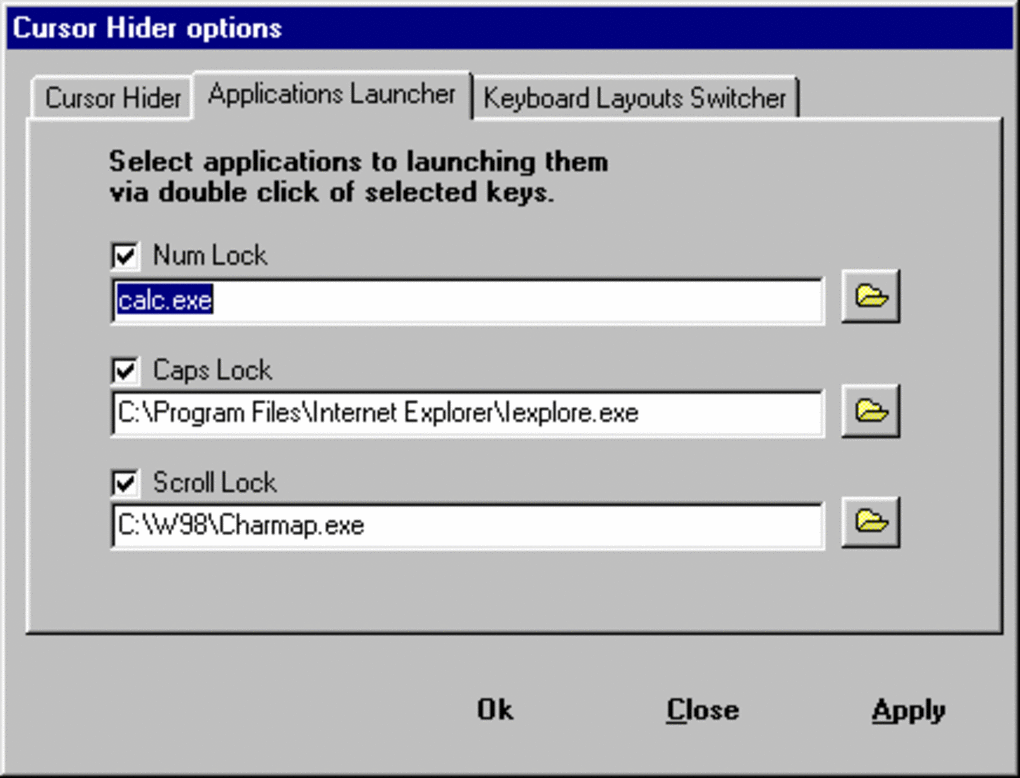
Cursor Hider isn’t just about hiding a cursor—it’s about enhancing your entire digital experience with smart, productivity-boosting features. One of the most impressive aspects is its customizable hotkey system. You can assign multiple keys—such as Caps Lock, Num Lock, Scroll Lock, or even custom key combinations—to trigger cursor hiding, revealing, or toggling. This level of control allows users to tailor the software to their specific habits and workflows. For example, developers can use a keyboard shortcut to hide the cursor while debugging, while content creators can instantly remove the cursor during video recording sessions.
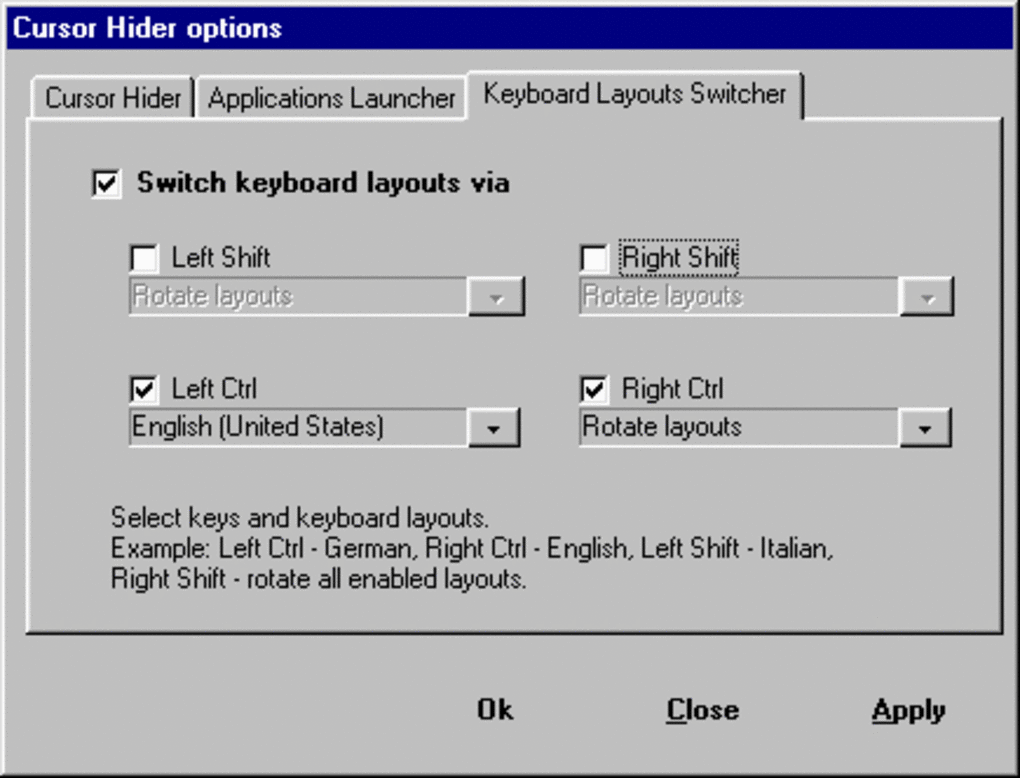
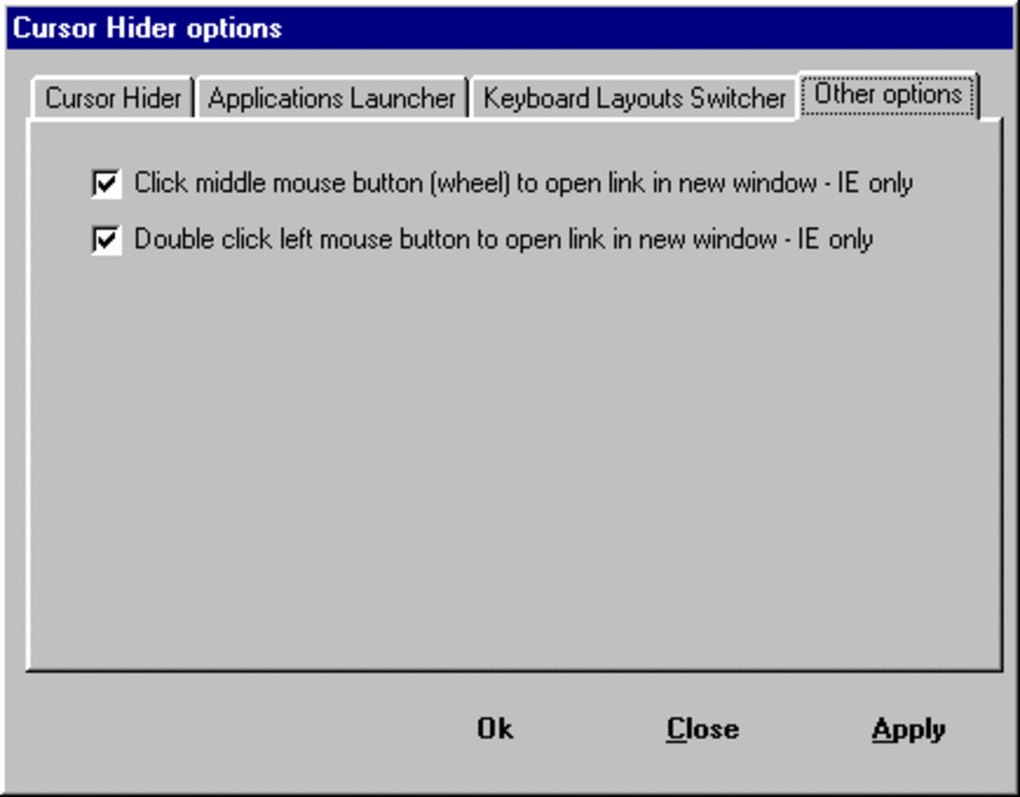
Another standout feature is the ability to switch keyboard layouts on the fly using modifier keys. Pressing Ctrl + Shift or Alt + Shift can instantly change your input language or layout, which is incredibly useful for multilingual users or those working in international teams. This eliminates the need to navigate through system settings or third-party tools, saving valuable time. Additionally, the middle mouse button functionality allows you to open links in a new browser tab with a single click—perfect for research-heavy tasks or browsing while coding.
Cursor Hider also supports advanced idle-time settings, so the cursor hides after a configurable period of inactivity. This is ideal for presentations or when using a large monitor where the cursor might wander into view unintentionally. You can even set the cursor to reappear only when you move the mouse, ensuring a seamless return to full control. These features, combined with its low system footprint and secure operation, make Cursor Hider a premium-grade tool that justifies its one-time purchase price. It’s not just a utility—it’s a productivity enhancer.
Easy Installation, Seamless Compatibility Across Platforms
Getting started with Cursor Hider is a breeze, thanks to its straightforward installation process and cross-platform support. Whether you're using Windows 10/11 or macOS, the software is compatible with both major operating systems, ensuring a consistent experience no matter your device. The installer is lightweight and fast, requiring minimal system resources, which means it won’t slow down your machine or interfere with other running applications.
Once downloaded, the setup wizard guides you through the initial configuration in just a few clicks. After installation, the app runs silently in the system tray, accessible via a right-click menu or a customizable hotkey. The settings panel is intuitive, organized into clear categories like "Hiding Triggers," "Idle Time," "Hotkeys," and "Advanced Options," making it easy to fine-tune your preferences without confusion.
For users who prefer a hands-on approach, Cursor Hider also offers a detailed help guide and a built-in tutorial that walks you through each feature. Updates are delivered automatically through the app, ensuring you always have access to the latest improvements and security patches. The software is designed with privacy in mind—no data is collected or transmitted without your consent, making it a secure choice for personal and professional use. With its reliable performance, minimal setup, and consistent behavior across devices, Cursor Hider is a trusted companion for anyone serious about optimizing their digital workflow.
Key Features of Cursor Hider
- Auto-hide cursor after keystrokes or idle time
- Customizable hotkeys (Caps Lock, Num Lock, etc.) to hide/show cursor
- Move cursor to a predefined location when hidden
- Switch keyboard layouts on the fly with modifier keys
- Open browser links in new tabs with middle mouse click
- Lightweight and low system resource usage
- Secure, privacy-focused design with no data collection
- Automatic updates and background operation
Pros & Cons
Pros
- Highly customizable hiding triggers and behaviors
- Perfect for writers, developers, and presenters
- Smooth integration with Windows and Mac systems
- Supports advanced keyboard and mouse shortcuts
- Free 14-day trial with full access to all features
- One-time purchase model—no recurring fees
Cons
- No free version beyond the trial period
- Interface could be more modern for some users
- Limited documentation for advanced features
Frequently Asked Questions (FAQ)
Is Cursor Hider free to download and use?
Yes, Cursor Hider offers a free 14-day trial with full access to all features. After the trial, you can purchase a one-time license to continue using the software without any subscription fees.
Does Cursor Hider work on both Windows and Mac?
Absolutely. Cursor Hider is compatible with Windows 10 and 11, as well as macOS 10.15 and later versions, ensuring a consistent experience across platforms.
Can I hide the cursor using keyboard shortcuts?
Yes, you can assign custom hotkeys such as Caps Lock, Num Lock, or any key combination to hide or show the cursor instantly, making it ideal for quick workflow adjustments.
Does Cursor Hider affect system performance?
No, Cursor Hider is designed to be lightweight and efficient. It uses minimal CPU and memory resources, ensuring it runs smoothly in the background without slowing down your device.
Is my data safe with Cursor Hider?
Yes, Cursor Hider prioritizes user privacy. It does not collect or transmit any personal data, and all settings are stored locally on your device.
Final Verdict: A Smart, Secure Tool for Distraction-Free Work
Cursor Hider is more than just a cursor utility—it’s a productivity powerhouse designed for users who demand focus and efficiency. With its intelligent hiding logic, customizable hotkeys, and seamless integration across Windows and Mac, it delivers real value to anyone who spends significant time typing or presenting. While it’s not free beyond the trial, the one-time purchase is well worth it for the long-term benefits it provides.
If you’re tired of your cursor stealing attention during important tasks, it’s time to give Cursor Hider a try. Download the free trial today and experience a cleaner, more focused digital workspace. Whether you're a professional, student, or creative, this tool will help you stay in the zone and get more done.
Download Cursor Hider now and transform your workflow with a smarter, distraction-free experience.







